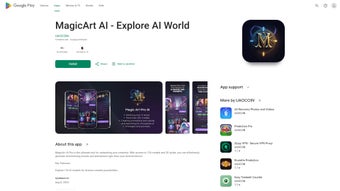

Download MagicArt – AI‑powered digital art creator, free, secure, and cross‑platform
Overview of MagicArt AI
MagicArt AI is a web‑based digital art and animation studio built for smartphones, tablets, and desktop browsers. It combines a powerful collection of 134 AI models with 30 visual styles, letting users generate paintings, sketches, 3D renders, and short animations in seconds. Whether you are a seasoned illustrator, a hobbyist, or a complete beginner, MagicArt’s intuitive interface makes it easy to explore creative concepts without any steep learning curve.
The platform’s smart search feature instantly surfaces relevant AI‑generated assets, streamlining the workflow for concept artists, designers, and social‑media creators alike. Privacy is a core principle: MagicArt does not collect or share personal data, ensuring that your creations remain yours alone. Export options include high‑resolution PNG, JPEG, GIF, and MP4, allowing seamless sharing on social platforms, client presentations, or personal portfolios.
Regular updates improve performance, introduce new models, and fine‑tune existing styles, keeping the tool fresh and responsive. In short, MagicArt AI offers a free, secure, and constantly evolving environment for anyone who wants to create stunning visual content on the go.
Behind the scenes, MagicArt leverages transformer‑based diffusion models that have been trained on millions of public‑domain images. This training methodology gives the AI the ability to understand nuanced prompts such as “misty sunrise over a cyberpunk city” and translate them into coherent visual output. Because the heavy lifting happens on remote servers, even low‑end devices can generate complex artwork without lag.
The service also incorporates a version‑control system for AI models, meaning that each new update is backward compatible and you can revert to a previous model if you prefer its aesthetic. For professional creators, the platform provides a secure workspace where generated files are encrypted in transit and deleted after the session unless explicitly saved, meeting GDPR and CCPA standards. All of these technical choices combine to create a reliable, future‑proof tool that scales from casual doodles to commercial‑grade assets.
Key Features that Set MagicArt Apart
- 134 built‑in AI models covering realism, illustration, abstract, and more.
- 30 distinct visual styles for instant personalization of output.
- Smart search for rapid discovery of AI‑generated images and animations.
- Web‑based, no‑download required; works on any modern browser.
- One‑click export to PNG, JPEG, GIF, and MP4 formats.
- Full privacy: zero data collection or third‑party sharing.
- Regular updates delivering new models, style tweaks, and performance boosts.
- Responsive UI optimized for touch‑first devices (smartphones & tablets).
- Integrated sharing tools for Instagram, TikTok, and other social platforms.
- Free tier with unlimited creations; premium upgrade available for higher‑resolution output.
Why These Features Matter
The sheer variety of AI models means you can jump from photorealistic portraits to surreal landscapes without switching apps. The 30 visual styles act like “filter packs” that instantly give your work a unique signature, saving hours of manual tweaking. Smart search eliminates the guesswork of finding the right reference or inspiration—type a keyword and MagicArt instantly generates relevant suggestions.
Because the platform runs in a browser, you avoid the hassle of installing heavy software on limited mobile storage, and the responsive UI ensures every tool is reachable with a tap or swipe. Privacy‑first design builds trust, especially for professional creators who handle confidential client briefs. Finally, the free tier lowers the barrier to entry, while the optional premium plan unlocks higher‑resolution exports for print‑ready projects.
In addition, MagicArt’s collaborative features let multiple users work on a shared project board, adding comments and version history directly within the web app. This is particularly valuable for remote design teams that need a single source of truth for visual assets. The integrated social‑share module automatically resizes exported media to meet the optimal specifications of platforms like Instagram Stories, TikTok vertical videos, and Twitter thumbnails, reducing the post‑production workload. For educators, the platform offers a “classroom mode” where teachers can pre‑load prompt libraries and monitor student progress without exposing personal data. All of these capabilities are delivered through a single, secure URL, meaning you never have to juggle multiple subscriptions or worry about cross‑compatibility issues.
Installation, Usage Instructions, and Compatibility
Getting Started – No Installation Required
MagicArt AI is a cloud‑hosted web app, so there is no traditional installation process. To begin, open your preferred browser (Chrome, Safari, Edge, or Firefox) on a Windows PC, macOS, Android phone, or iOS tablet. Navigate to https://magicart.ai. The site will detect your device and automatically load the optimized interface. If you prefer a shortcut, you can add a home‑screen icon: on Android, tap the three‑dot menu and select “Add to Home screen”; on iOS, tap the Share button and choose “Add to Home Screen.” This creates an app‑like icon that launches MagicArt in full‑screen mode, giving the feel of a native app without any download.
For power users, MagicArt also supports progressive web‑app (PWA) features such as offline caching of UI assets, which speeds up the initial load after the first visit. While the AI generation itself still requires an internet connection, the cached UI ensures that navigation, settings adjustments, and prompt history retrieval feel instantaneous, even on slower networks. The platform also offers a Chrome extension that adds a quick‑launch button to your toolbar, allowing you to open MagicArt with a single click from any webpage you are browsing.
Step‑by‑Step Usage Guide
- Create an account: Sign up with an email address or use Google/Apple single sign‑on. Account creation is optional for the free tier; you can explore as a guest.
- Select a model: Browse the model library or use the smart search bar to type “fantasy landscape” or “pixel art.”
- Choose a visual style: Pick from the 30 style cards to apply a color palette, brushstroke, or rendering effect.
- Enter your prompt: Describe what you want to see. The AI processes the request in seconds and displays a preview.
- Refine & iterate: Adjust sliders for detail, contrast, or motion (for animations). Re‑run the model to explore variations.
- Export or share: Click “Export” to download the file in your chosen format, or use the built‑in share button to post directly to Instagram, TikTok, or email.
- Save to library: If you are logged in, you can add the final artwork to your personal cloud library for future editing or batch export.
Operating System Compatibility
MagicArt AI is compatible with all major operating systems that support modern web browsers:
- Windows 10/11 (Chrome, Edge, Firefox)
- macOS 12+ (Safari, Chrome, Firefox)
- Android 9+ (Chrome, Edge, Firefox)
- iOS 14+ (Safari, Chrome)
Because processing happens on remote servers, performance is largely independent of your device’s hardware. Even low‑end smartphones can generate high‑quality artwork, though a stable internet connection (minimum 5 Mbps) ensures the fastest response times. For users on restricted networks, MagicArt supports a lightweight “low‑resolution mode” that reduces bandwidth usage while preserving the core creative experience.
Conclusion: Should You Download MagicArt?
Pros
- Extensive library of 134 AI models and 30 visual styles.
- Zero‑install, web‑based platform works on Windows, macOS, Android, and iOS.
- Strong privacy stance – no data collection or sharing.
- Free tier with unlimited creations; premium upgrade for high‑resolution exports.
- Smart search accelerates inspiration and workflow.
- Collaborative board and classroom mode for teams and educators.
- PWA support gives fast UI loading and optional offline caching of assets.
- Built‑in social‑share tools automatically format content for major platforms.
Cons
- Requires a stable internet connection; offline use is not possible for AI generation.
- Free tier limits export resolution compared to premium.
- Advanced customization (e.g., layer editing) is still limited compared to desktop software like Photoshop.
- Premium subscription is required for lossless TIFF export and priority processing.
- Large prompt complexity can occasionally produce longer rendering times during peak server load.
Frequently Asked Questions
Is MagicArt really free?
Yes, MagicArt offers a completely free tier that lets you generate unlimited artworks. The premium subscription only unlocks higher‑resolution exports and priority processing.
Do I need to create an account to use the tool?
No. You can explore the platform as a guest, but creating an account allows you to save favorite prompts, manage premium features, and keep a history of your creations.
Can I use MagicArt on a desktop computer?
Absolutely. The web app works on any modern desktop browser, so you can use it on Windows or macOS laptops and desktops with the same functionality as on mobile.
How does MagicArt protect my privacy?
MagicArt’s privacy policy states that no personal data, prompts, or generated images are stored or shared with third parties. All processing is encrypted, and images are deleted from the server after the session unless you explicitly save them.
What file formats can I export?
You can export static images as PNG or JPEG, animated GIFs, and short video clips as MP4. Premium users also gain access to lossless TIFF for print‑ready work.
Ready to Unleash Your Creativity?
MagicArt AI combines the power of cutting‑edge artificial intelligence with a frictionless, privacy‑first experience. Whether you’re sketching a concept for a game, generating eye‑catching social media graphics, or simply exploring artistic ideas on a commute, MagicArt offers a fast, free, and secure solution. The web‑based architecture means you can switch between a phone, tablet, or laptop without losing any settings, and the regular model updates guarantee you’ll always have the latest creative tools at your fingertips. Download MagicArt now and start turning your imagination into high‑quality digital art in seconds.



.png)



